
Two REA labs: a Contra web remake, then an upgrade to your own editor
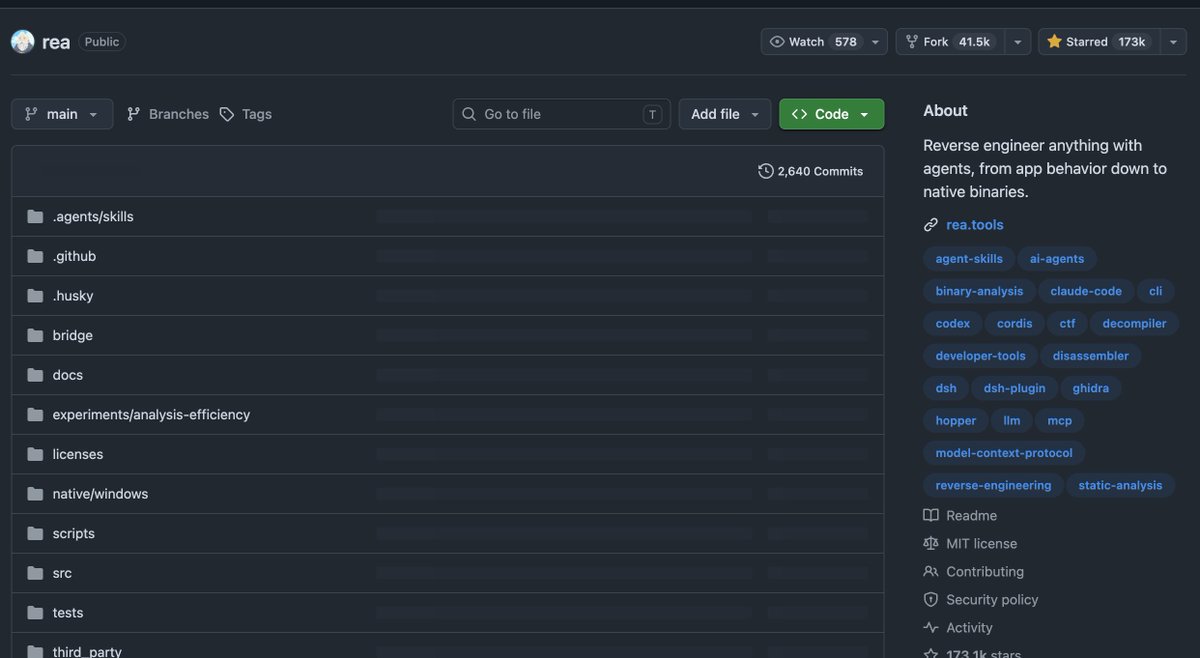
REA (Reverse Engineer Anything) is the local MCP/CLI that lets a coding agent inspect a target you are allowed to analyze and return Evidence plus unknowns. This page records two labs from one session: a teaching remake of a ROM the operator may study, and an upgrade to an editor the operator already owns. The clip above is the playable Contra page. The grids below are the session boards. rea.run did not re-execute the ROM for this write-up.






Short version
Two labs, same rule: ask, take Evidence, rewrite clean code, and leave unknowns written down.
- Lab A — Contra. A local
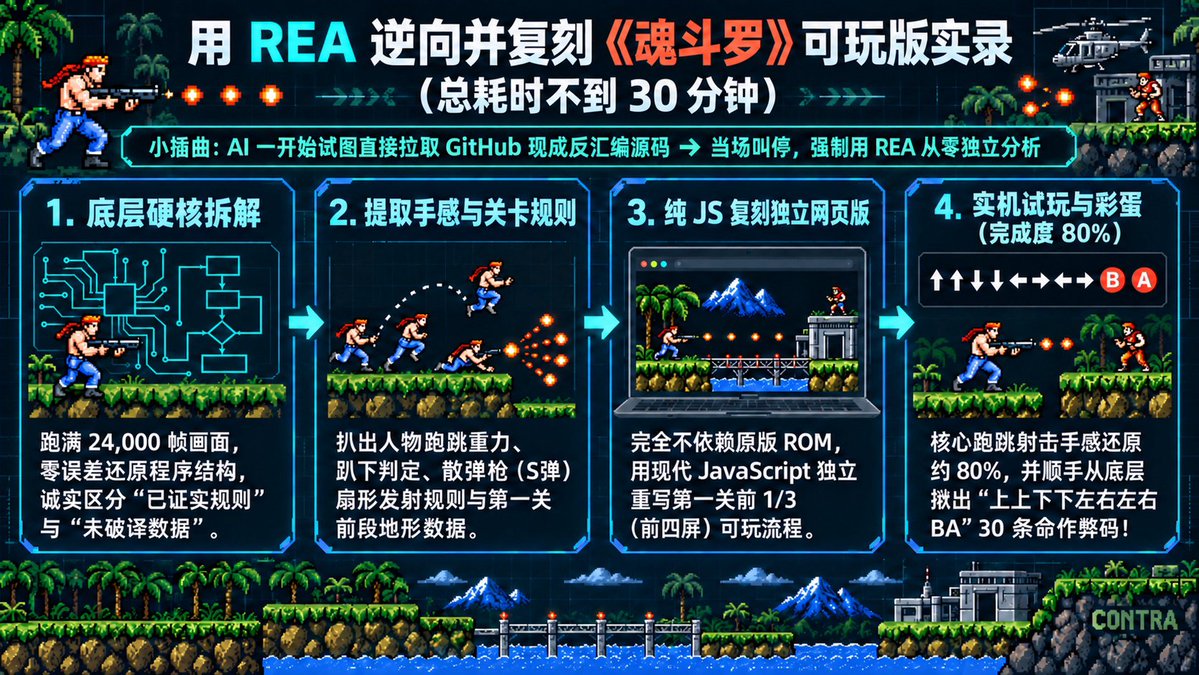
Contra (USA).nes(about 128KB). The agent tracked about 24,000 frames, then rewrote the first third of stage 1 as standalone JavaScript. No emulator. About 20 minutes. Session estimate of core feel: about 80%. - Lab B — own editor. About 3 hours comparing an authorized Notion desktop study with the operator’s own Mac text editor. Session estimate of the core upgrade: about 70% (unified edit transactions, stable block ids, incremental local save, block-level merge). The generated slash menu still lags product taste.
| Lab | Target | Time | Scope | Session estimate |
|---|---|---|---|---|
| A. Web remake | Local Contra (USA).nes, ~128KB | ~20+ minutes | Stage 1, first ~1/3 (~4 of 12 screens) | ~80% core feel |
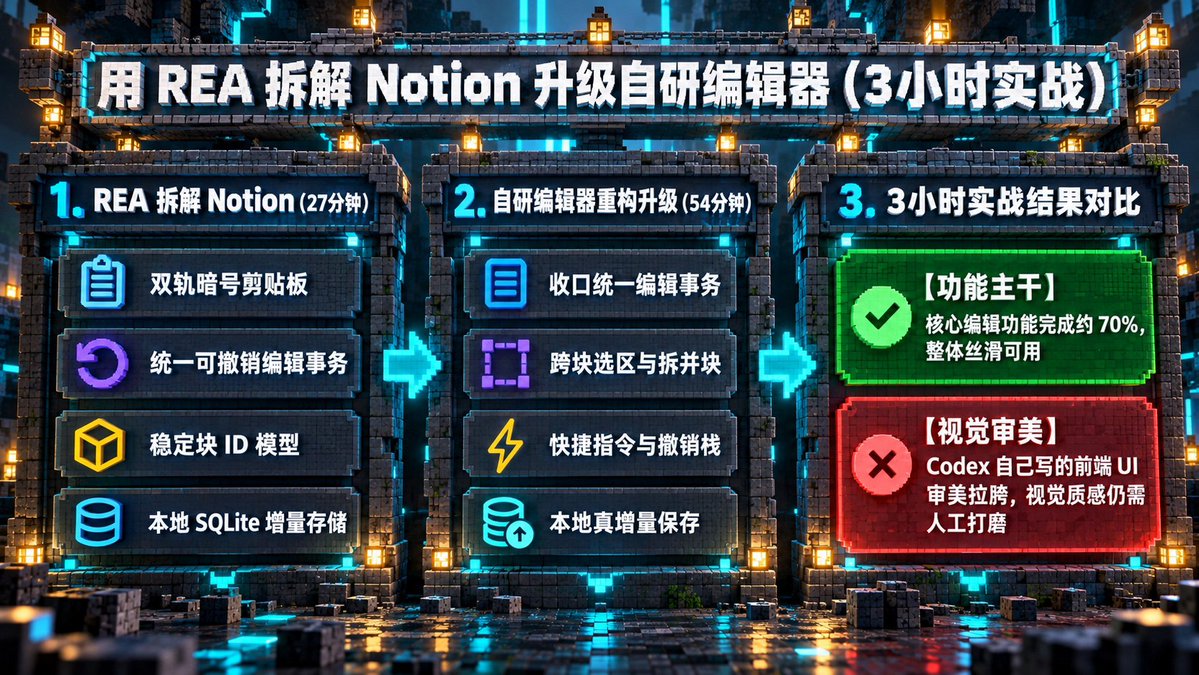
| B. Own editor | Operator’s Mac text editor, after an authorized desktop study | ~3 hours | Transactions, block ids, incremental save, block merge | ~70% of the core |
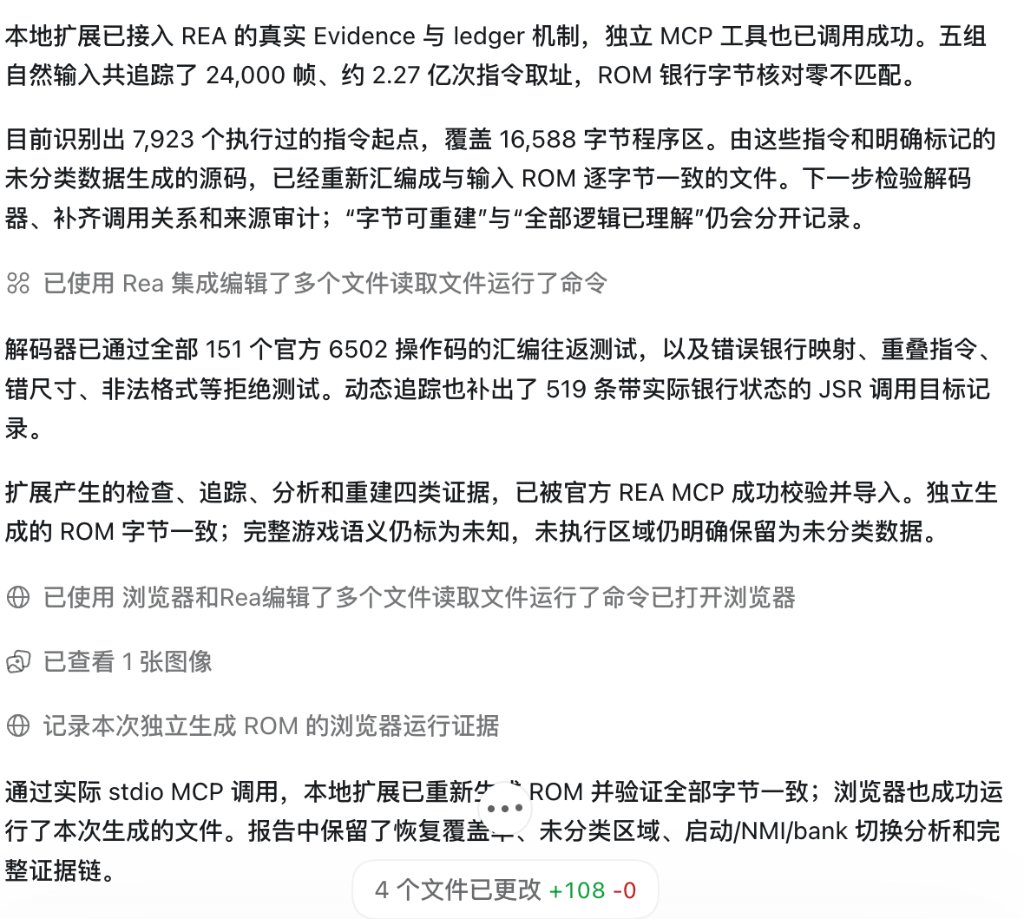
| Tracking | Same ROM, REA-only pass | During lab A | ~24,000 frames | Unknowns kept on the board |
The opening card is promotional. This page does not adopt its tone as a site metric. The numbers above are the session record: time, scope, frame count, and the operator’s own completion estimates.
What REA is in this session
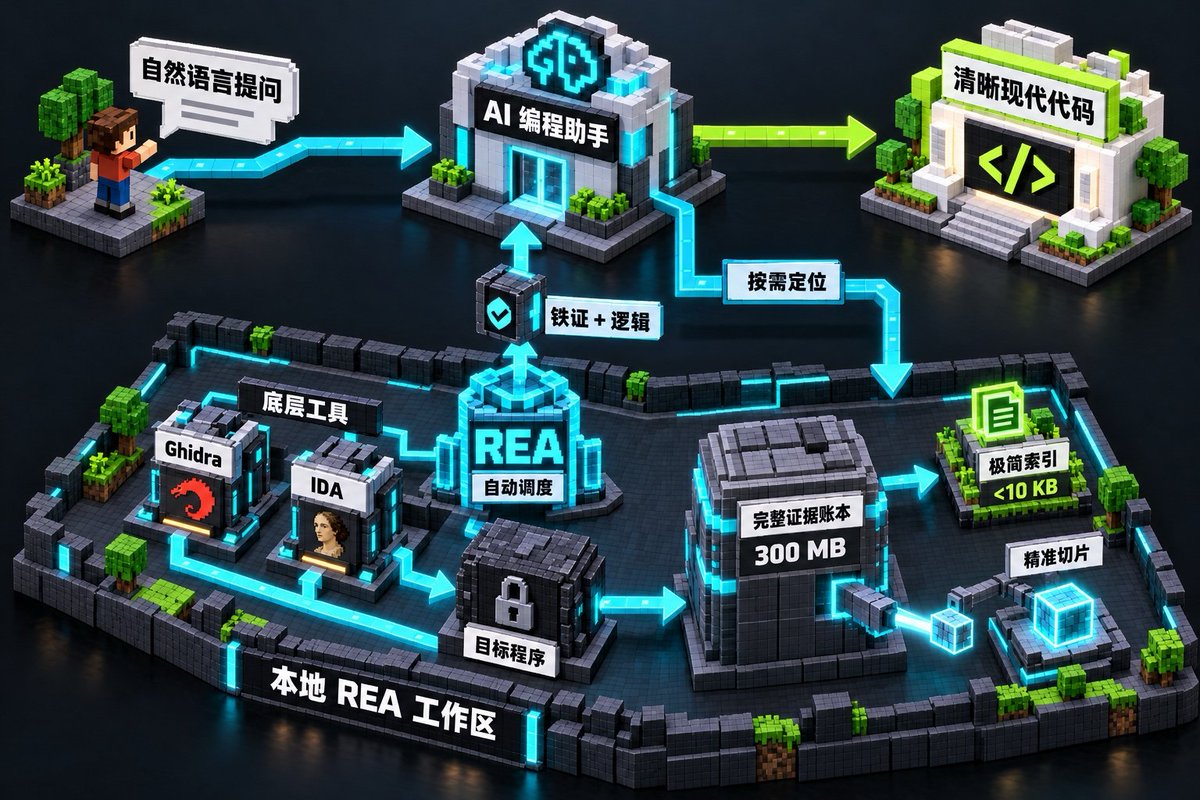
REA is not a vibe decompiler. It is a local Evidence ledger for a coding agent. The useful loop is short: ask in plain language → pull Evidence through REA → explain the rule or rewrite it in your tree. If a slice is not nailed down, the board says so.
Forward work starts from a recipe you are allowed to read: source, tests, a spec. Reverse work starts from a finished build you are allowed to study. The old threshold was real. Specialist interfaces (Ghidra and similar) show nameless symbols and machine code, and a desktop package can unpack to more text than a chat window can hold. Stuffing the whole unpack into the prompt either blows the context or invites a guess.
- Local ledger. The unpack stays on disk. The agent does not have to live in the disassembler UI.
- Short catalog, then a slice. A question such as “how does jump gravity work?” or “how does clipboard HTML keep block structure?” pulls the cited lines, not the whole package.
- Evidence or unknown. Every conclusion needs a source in the program. Unconfirmed spots stay unconfirmed.
Warm-ups already on rea.run
Before the two labs, the same shape shows up in two published cards. Read those pages for the longer Evidence; this section only points at them.
- Windows Calculator percent.
200 × 10%is 20, while200 + 10%is 220, not 200.1. After an add or subtract, the percent key takes a percent of the first operand (tip or tax style), then applies it. Card: Windows Calculator %. Microsoft publishes the Calculator sources, so that card can be checked against the open tree. - TH04 bullet ring. A 1998 DOS game stores one full turn as 256 angle units, not 360 degrees. Sixteen bullets step by
256 / 16 = 16. One byte holds 0–255 and wraps. Card: How TH04 aims a ring of bullets. That page is a historical reconstruction with compiler checks. It is not a modern DRM-strip guide.
| Warm-up | Question | What the on-site card keeps |
|---|---|---|
| Calculator % | Why does 200 + 10% equal 220? | Operator-dependent branch; arbitrate with the public sources |
| TH04 ring | Why 256 units in a circle? | Index × 256 / count, then an aim offset; 16 bullets → step 16 |
Lab A: Contra stage 1, first third
The file in the session was a US NES Contra ROM, about 128KB, that the operator is allowed to study. The ask was a teaching remake: do not boot the original ROM in an emulator, cover only the first third of stage 1, and emit a standalone web page. This site does not host the ROM.
The agent first reached for an existing Contra disassembly on GitHub. The session closed that shortcut and required a REA-only pass on the local file. That constraint is the point of the lab. A third-party dump is not Evidence for this ROM until you have checked it yourself, and it is the wrong artifact when the exercise is “read this file.”
Use REA to open a project on this local Contra ROM. Do not run the original ROM. Cover only the first third of stage 1, as a standalone playable web page.
- Force the local file. Refuse the pre-made disassembly. Point REA at the ROM on disk.
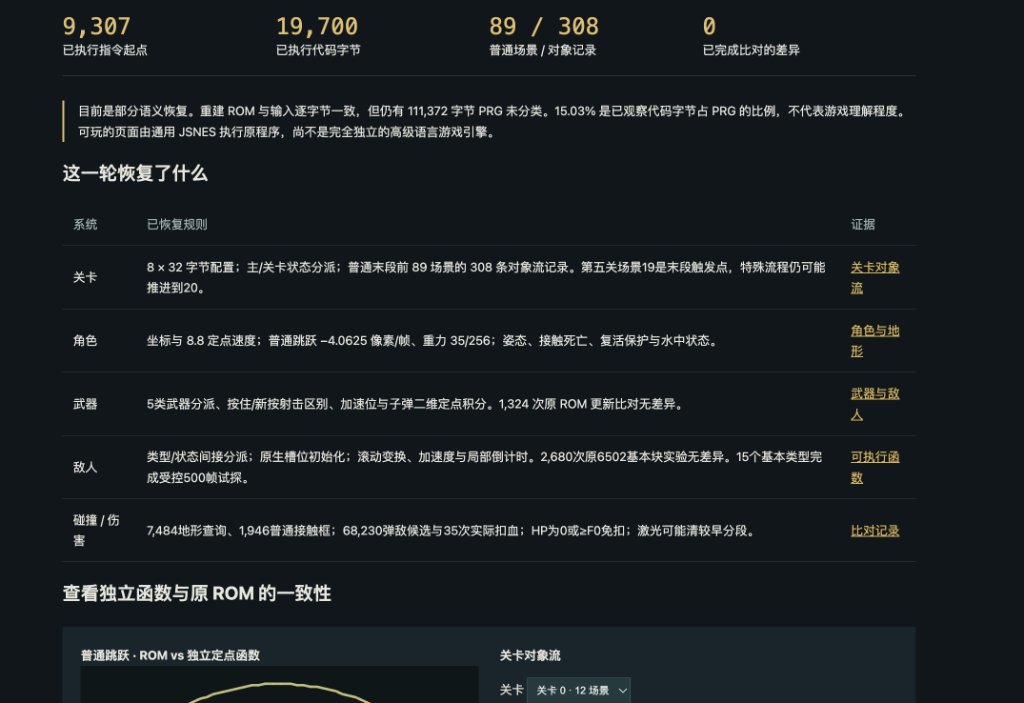
- Track, then separate. About 24,000 frames went through the local pass. Confirmed rules and still-open data were written on different parts of the board.
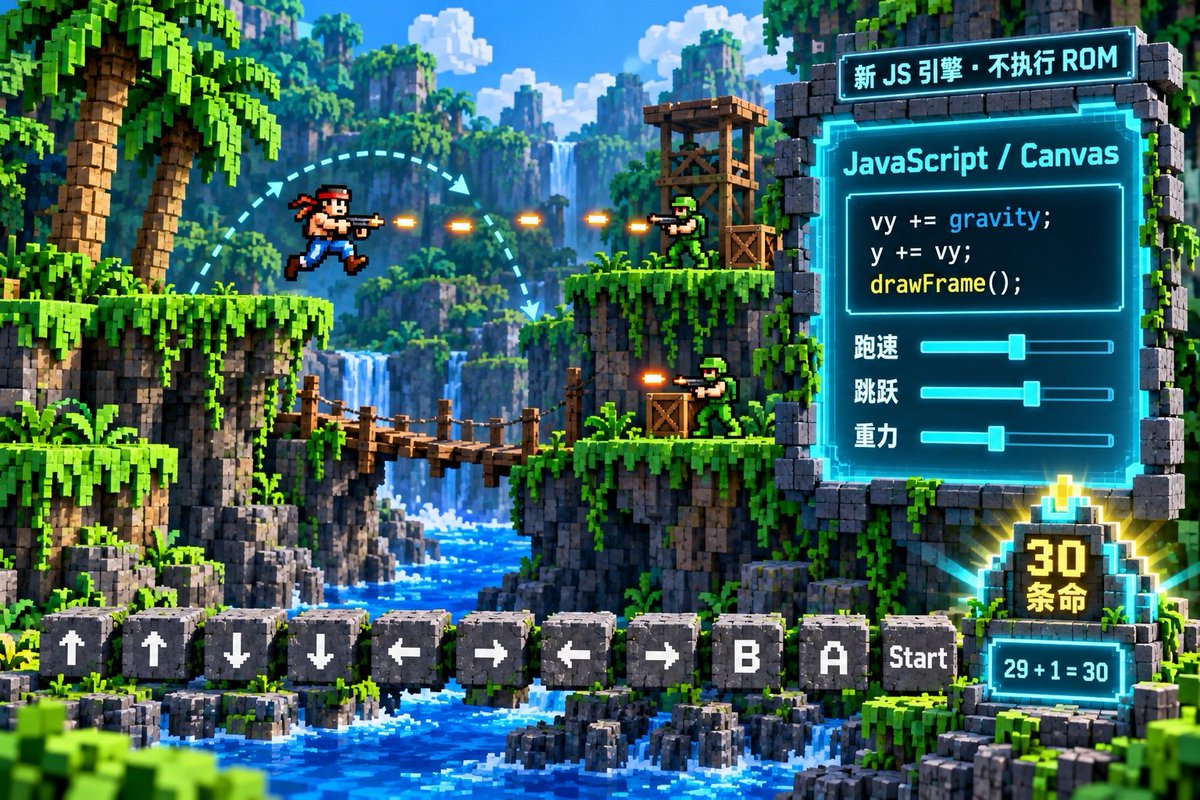
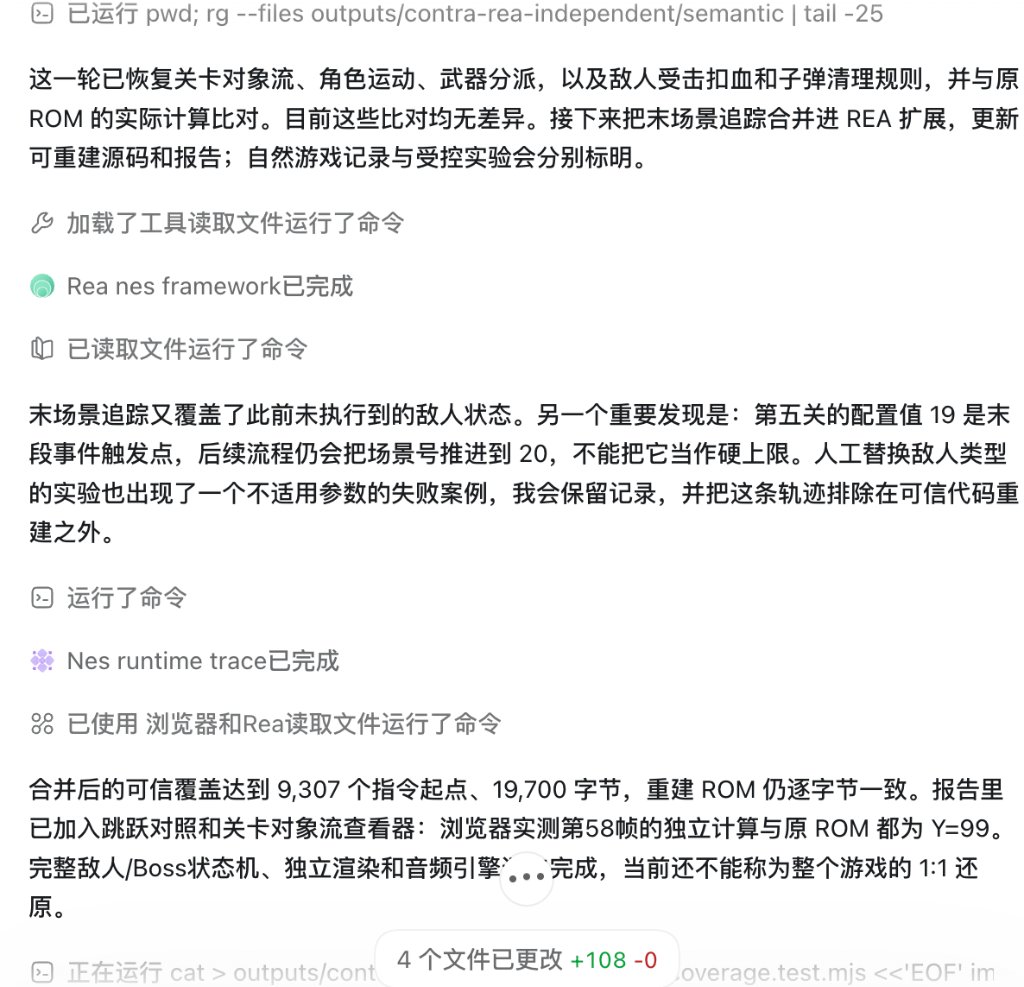
- Rewrite. Pure JavaScript. No emulator runtime. Run, eight-way aim, jump, shoot, prone, the opening enemies, and the bridge burst through the first third of the stage.
- Play it. The clip at the top of this page is that page, about 20 seconds, self-hosted here.
What the board treated as confirmed for the opening of stage 1:
- Run, jump, gravity. Jump height, hang time, per-frame fall, what counts as landing, and the prone hitbox.
- Weapons. The default gun, the held-fire machine gun (M), and the five-way spread (S): how a shot is spawned, how many bullets may live at once, and how a hit is decided.
- Stage slice. Terrain, platforms, and the bridge section for that first third, drawn as a map the rewrite could read.
From analysis to a playable page was about 20 minutes. The session estimate after hands-on play: about 80% of the core feel (run, aim, jump, shoot, prone, the opening fight, the bridge). The other 20% was named, not waved through. Death animation is thin. The flying weapon capsule — shoot it down, collect the pickup, switch ammo — is incomplete, so weapon changes sit on a side menu. Twenty minutes is enough to stand up the spine. It is not a finished port.
The 30-life sequence, from Evidence
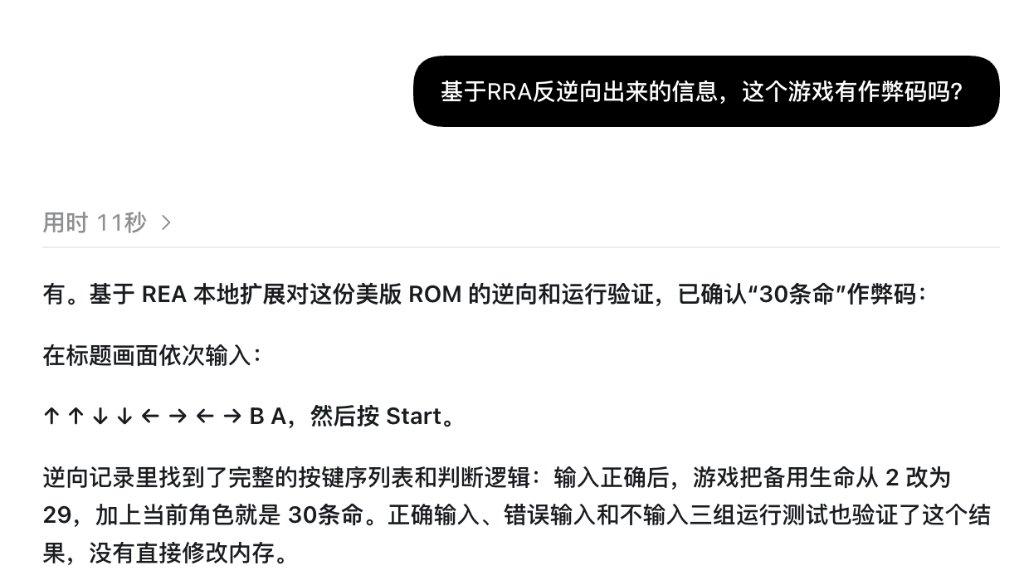
After the playtest, the session asked whether the ROM contained a cheat, and required the answer to come from the REA record rather than a web guide. The ledger had the full title-screen sequence and the branch that consumes it.
| Step | What the Evidence ledger recorded |
|---|---|
| Where | Title screen, before Start |
| Sequence | ↑ ↑ ↓ ↓ ← → ← → B A, then Start |
| Write | Spare lives change from the default 2 to 29 |
| On screen | 29 spare + the active player = 30 |
| Not used | A web guide or a third-party FAQ |
Konami-style input, read out of the program. That is the standard this page wants: a table in the binary, a branch, a number before and after. A remembered childhood code without that table would have stayed an unknown.
Lab B: upgrade your own editor
Lab A asks whether a classic game file can become a small, clean web page. Lab B is the product shape: study a mechanism you are allowed to inspect, then spend the implementation budget on your editor. About three hours went to an authorized look at Notion desktop, set next to the operator’s own Mac text editor. The goal was not a second Notion. Terms that forbid unauthorized decompilation still apply; this lab stays inside an inspection the operator is allowed to do, and the code that landed is new code in the operator’s tree.
The narrow clipboard story is already a card on this site: How Notion copies text and HTML. Copy keeps a full block tree in the app’s own memory, writes ordinary text and HTML to the system clipboard, and hides an id comment (<!-- notionvc: id -->) so an internal paste can restore structure while a paste into another app stays clean. Lab B used that idea as one input, then asked for a wider upgrade of the editor the operator ships.
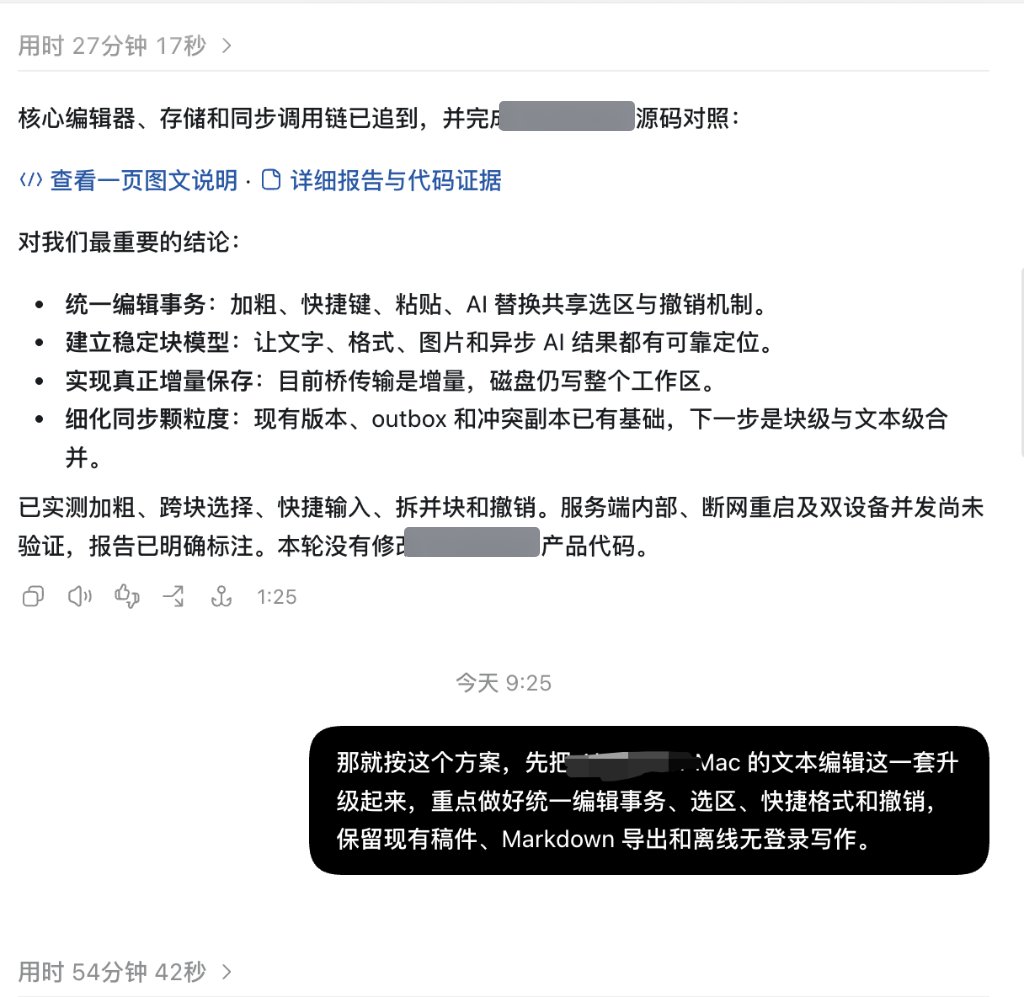
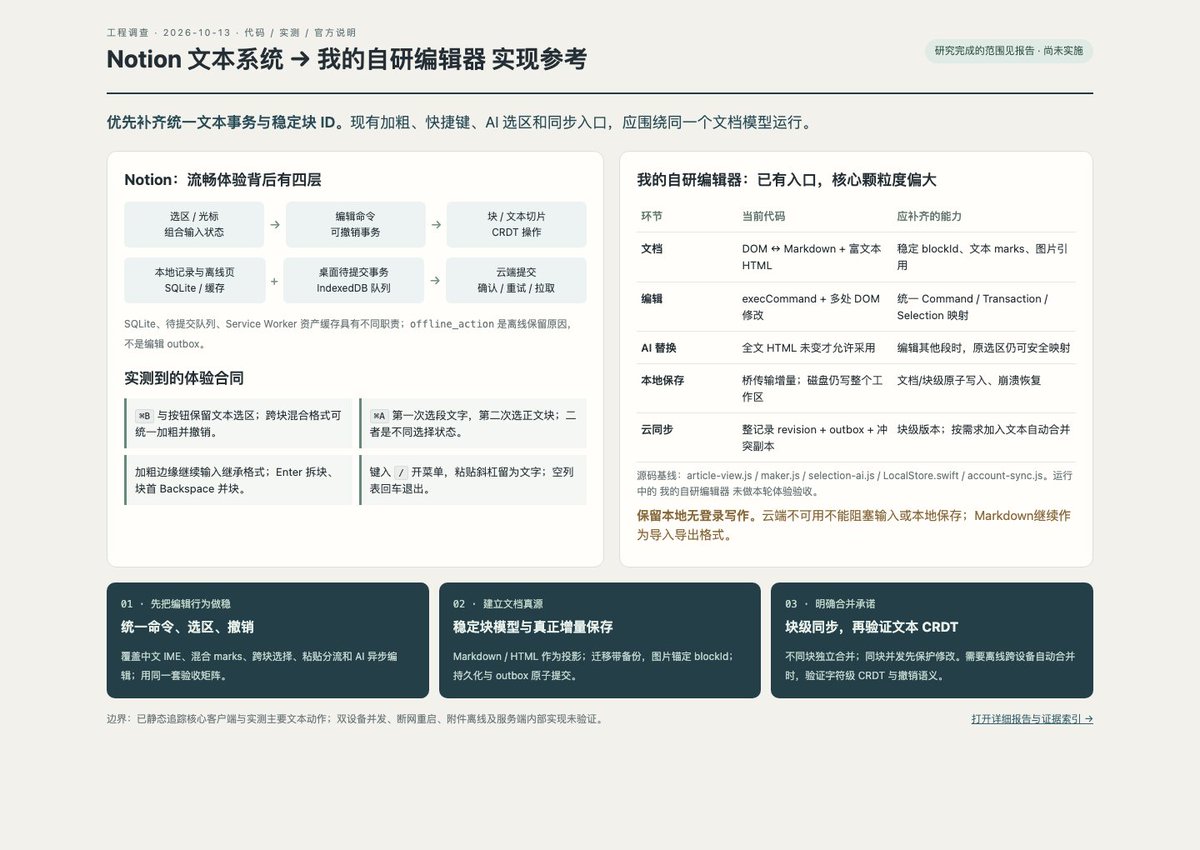
The comparison came back as a one-page brief: Notion text system as a reference, the current editor as the tree that must change. Four levers, each tied to a defect already in that tree:
| Lever | What the current editor was doing | Direction after the authorized study |
|---|---|---|
| Unified edit transaction | Bold, shortcuts, paste, and AI edits each mutated state their own way, so undo drifted | One undoable transaction, shared selection, shared undo stack |
| Stable block ids | Async AI edits could move the cursor | A stable blockId on text, images, and in-flight AI edits |
| Incremental local save | The UI sent deltas, but disk still rewrote the whole workspace | Append deltas to a local store and a pending queue |
| Block-level merge | Whole-document overwrite | Merge per block; keep offline writing with no account, and Markdown export |
The implementation prompt stayed narrow. It names the editor that already exists. It does not say “reproduce the other product.”
Apply that plan to the Mac text-editing stack in this project. Prioritize a unified edit transaction, selection, shortcut formatting, and undo. Keep existing documents, Markdown export, and offline writing without an account.
With follow-up wiring, the upgrade sat at about three hours. The session estimate: about 70% of the core path actually runs — connector editing, split and merge of blocks, bold across paragraphs, the shortcut menu, and one undo stack. The working habit from the session is worth keeping: do not open with “copy this entire application.” Point at one mechanism (block editing, or the clipboard), read it, then change your own project. That is the pass with the highest chance of staying lawful and of landing.
The slash menu, and the taste gap
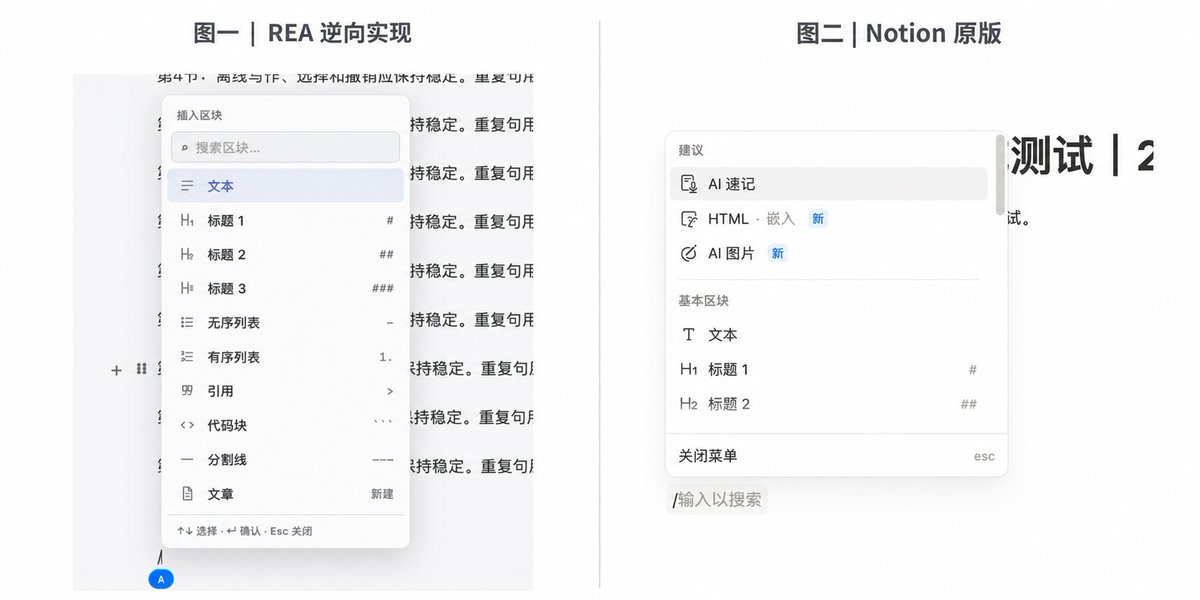
The same session then opened the slash menu the model had written and put it next to the product menu. Inserts work: paragraph, headings, quote, code. The chrome does not. Heavy frame, flat hierarchy, and a blue capsule with a white “A” that reads as an old web button. The comparison menu has a rounded popover, room to breathe, quiet gray groups, small icons, and shortcut hints that line up.
That gap is the model’s default UI polish. It is not a hole in the Evidence pass. REA can make the mechanism legible in a few hours and can carry a core path to a session estimate around 70%. Spacing, restraint, and the last interaction details still need a human eye. When the spine is cheap to reconstruct, taste and the data around the product are the part that stays scarce.
What to copy
One card in the session lists commercial motives: inspect small tools, absorb architecture ideas, migrate an old codebase. Treat the card as a motive list, then apply the boundary under it. The lawful subset is narrower.
- Your product, or a study you are allowed to do. A performance pass on your own app, an open-source project whose license allows it, or a system under written permission. Unauthorized decompilation of commercial software is out of scope even when the mechanism is interesting.
- Ideas, then a clean rewrite. “A hidden id ties clipboard HTML to an in-memory tree.” “Jump hang time is a per-frame rule.” Close the report and write new code. Do not paste proprietary source, and do not ship someone else’s assets.
- A legacy tree you own or are contracted to migrate. Evidence can become a behavior note for that tree. It is not a license to republish a third party’s install.
- One feature at a time. A single question with a ledger beats a request to clone a flagship app over a weekend.
- [ ] The ROM, app, or firmware is yours, the license allows the study, or you have written permission
- [ ] You do not redistribute the ROM or proprietary assets
- [ ] You do not accept a third-party disassembly as a substitute for a REA pass on the local file
- [ ] You ask for Evidence and an explicit unknown list
- [ ] You rewrite clean code in your tree
- [ ] You read the terms before opening a commercial desktop app
- [ ] A core-percent estimate is not a shipped design; UI taste stays a human review
- [ ] You do not publish a clone recipe, an account bypass, or a DRM bypass
Install
Setup on this site is one command, then a client restart: npx rea-agents@latest setup. Walkthrough: /docs/install/. Codex demo: /docs/install-demo/. The agent can also be pointed at github.com/morluto/rea and asked to install from that repository. After setup, give an absolute path to a target you may analyze, and ask for Evidence plus unknowns.
Nearby pages, same wall: Calculator percent, TH04’s 256-angle ring, Notion clipboard, DX-Ball, and the legal boundary.
Next step
Similar browser session records can become AgentEnv replay environments
This case is not a claim that it is a specific Hugging Face environment. When REA records an authorized browser session, Scale AgentEnv can expose replay as MCP tools. rea.run mirrors the catalog only — we do not host the RL runtime.
Environments catalog → What is AgentEnv + REA? HF collection ↗ Introducing AgentEnv
Compliance
Lawful RE only: software you own, open-source the license allows, or a system you have written permission to study. The Contra lab is a teaching Evidence demo on a ROM the operator is allowed to study. This page does not distribute that ROM, does not teach piracy, and does not bypass DRM. The editor lab upgrades the operator’s own Mac text editor after authorized analysis of a desktop app they are allowed to inspect. Learn mechanism ideas, then rewrite clean code in your own tree. Do not copy proprietary source or assets, and do not treat this page as a recipe for cloning a commercial product or breaking its terms.
Takeaways
- Lab A: local Contra ROM, REA-only, first third of stage 1 as a web page in about 20 minutes, about 80% core feel, with death animation and the weapon capsule left open.
- The 30-life sequence (spare lives 2 → 29, plus the active player) came from the Evidence ledger, not from a web guide.
- Lab B: about 3 hours and about 70% of the core on the operator’s own editor. The slash menu still lags product taste. This page is not a ROM pack or a clone recipe.
Related on rea.run
More on-site cases